TerminalHub
~/source/repos $ launch

TerminalHub

Multiple AI CLI sessions, in a single window. Zero switching cost.

For Claude Code / Gemini CLI / Codex CLI.
Session save / restore, parallel work, completion notifications — and first-class IME input for CJK and other composition-based languages.

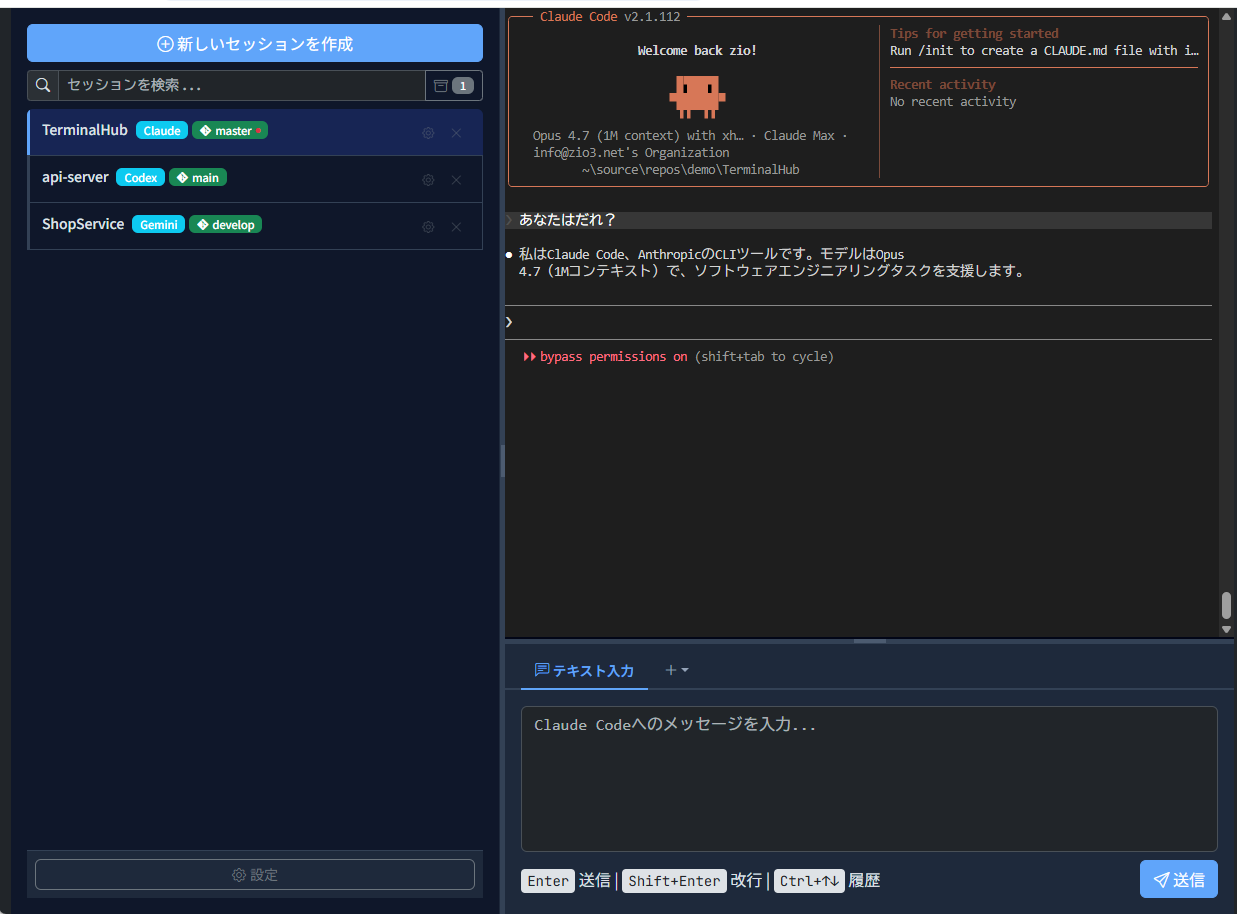
Interactive Demo

Try switching sessions or typing a command.

TerminalHub

This is a mock demo. Actual CLIs don't run here, and the UI differs slightly from the real product.

Key Features

Click a card to see a screenshot

Multi-session management

Switch between AI CLI sessions with one click. Parallel work fits in a single window. Session state is saved automatically and restored on restart.

Click to see a screenshot

Easy AI CLI launch

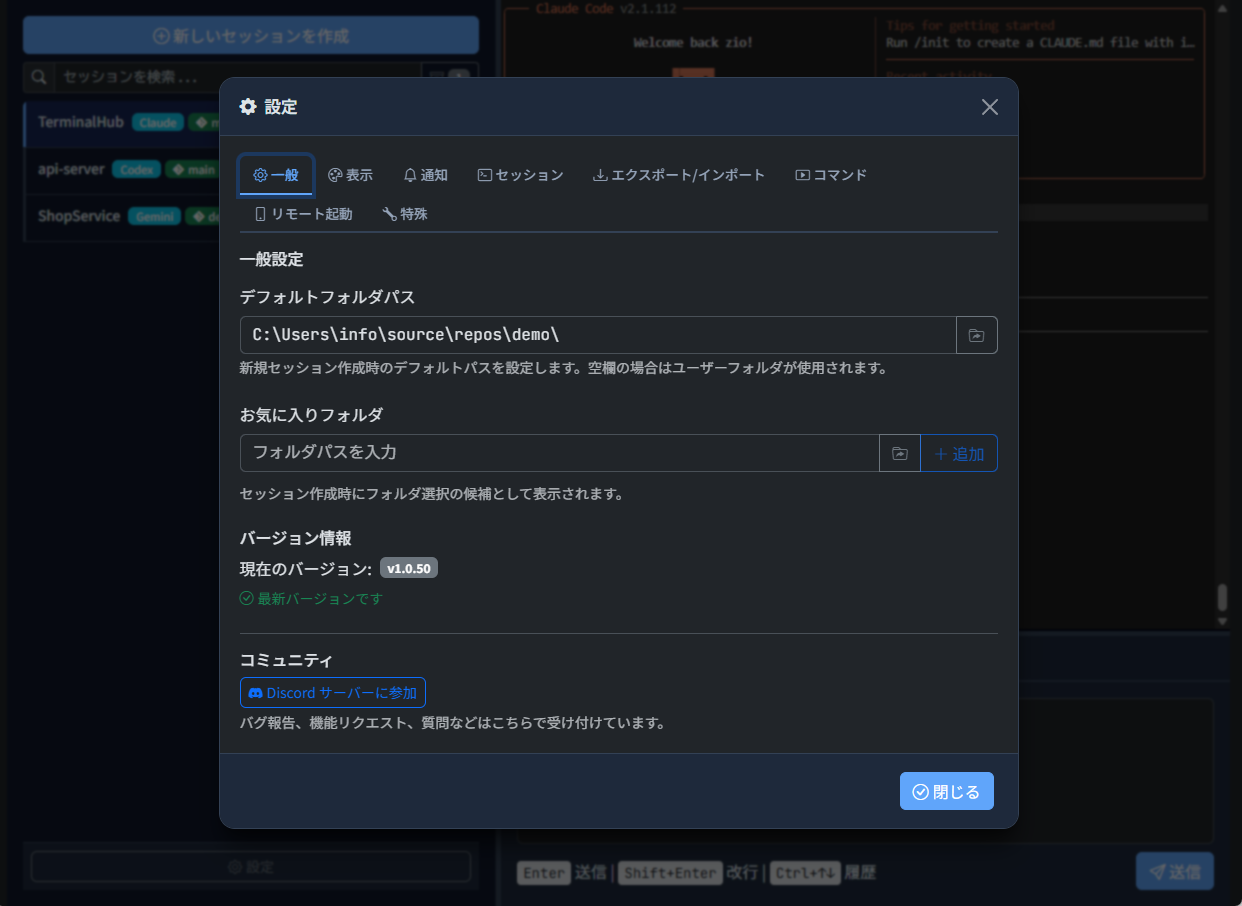
Configure key flags for Claude Code / Gemini CLI / Codex CLI right from the settings dialog. Get started in seconds.

Click to see a screenshot

First-class IME input

Most Windows terminals struggle with composition-based input — characters jump around mid-conversion in CJK, Thai, Vietnamese, and more. TerminalHub's dedicated input panel sends only the finalized text, so IME behaviour stays stable.

Click to see a screenshot

Actual Screens

Overview
Overview
Settings
Settings

Community

Questions, feature requests, feedback —
drop by our Discord server anytime.

Join Discord

Get started with TerminalHub

Windows only / Free / Open source

Download for Windows